What Is EPG and Catch-Up?
The TV guide and catch-up are two of the most useful IPTV features. Here’s how they work, how to fix wrong guide times in NZ and how to rewind shows.
If you’ve ever pressed the guide button on your remote to see what’s on later, you’ve used an EPG. Combine it with catch-up, and you can also go back in time to watch programmes that have already aired. Together they turn IPTV from a long list of channels into something that feels like a modern, flexible TV service.
This guide explains what the EPG and catch-up are, how they work in IPTV, how to fix the most common problems (including wrong times in New Zealand), and how to get the most out of both.
What is an EPG?
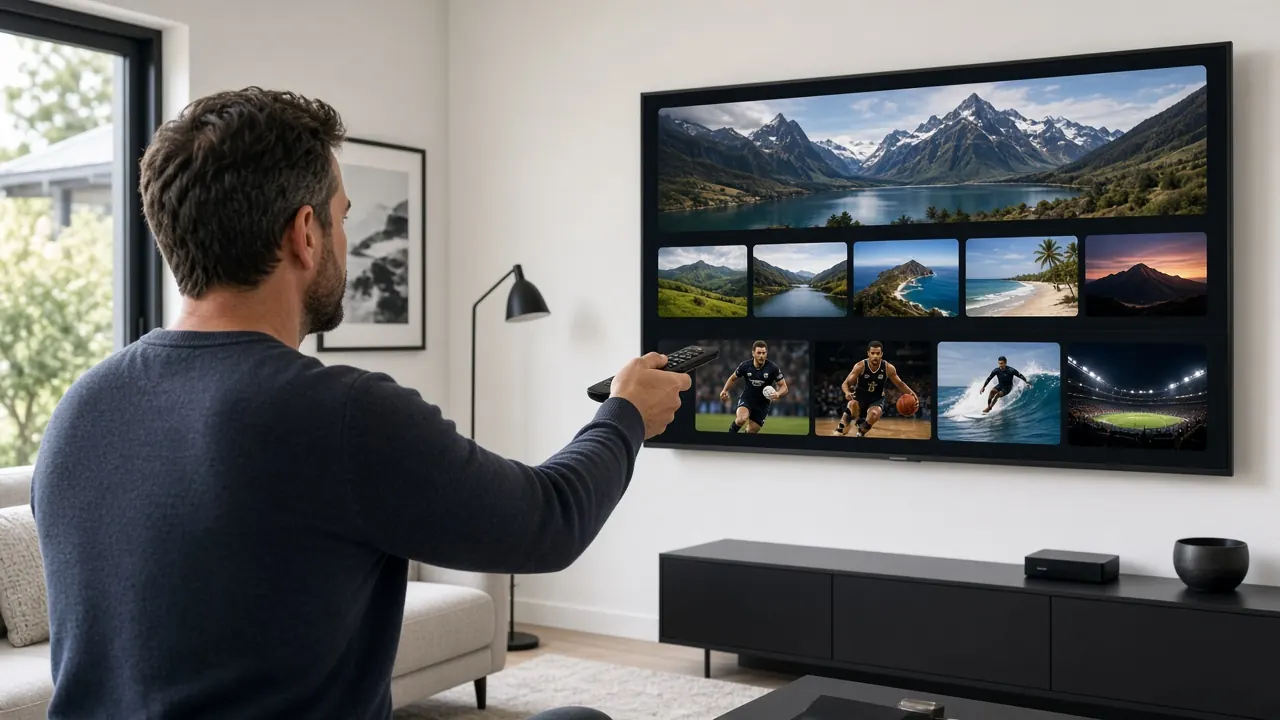
EPG stands for electronic programme guide. It’s the on-screen TV guide that shows what’s on each channel now, what’s on next and what’s coming up over the next few days. A typical EPG is laid out as a grid: channels down the side, times across the top, and programmes in blocks that you can select for more information, such as a description, episode details and running time.
In IPTV, the EPG also makes channel surfing much easier. Rather than scrolling through channel names, you can see at a glance which channels have something worth watching right now.
How the EPG works in IPTV
Programme information comes from a data feed, most commonly in a format called XMLTV. The feed lists programmes for each channel, with start and end times and descriptions. Your IPTV player downloads this data and matches it to the channels in your list using a channel ID.
How you get the guide depends on your login type:
- Xtream Codes: the guide loads automatically along with your channels.
- M3U playlist: you add a separate EPG link (an XMLTV address) in the player’s settings.
- MAG portal: the guide is built into the portal.
Guide data is usually refreshed daily and typically covers anywhere from a day to a week ahead, depending on the channel. If you’d like to understand login types better, read M3U vs Xtream Codes vs MAG explained.
Fixing common EPG problems
The guide times are a few hours out
This is the most common issue in New Zealand. Guide data is published in a standard time format, and your device converts it into local time. If the device’s time zone is wrong, every programme appears at the wrong time.
- Check that your TV, box or stick is set to the New Zealand time zone (Auckland), with automatic date and time switched on, so it adjusts for daylight saving.
- If the times are still out by a whole number of hours, look for an EPG offset or time shift setting in your player and adjust it.
- Remember that New Zealand changes its clocks in late September and early April. If the guide suddenly shifts by an hour around those dates, the device’s time-zone setting is usually the reason.
Some channels have no guide information
Not every channel has guide data, especially smaller international channels or temporary event channels. If a major channel is missing its guide, refresh the EPG in your player’s settings. If that doesn’t work, let your provider know which channel is affected.
The guide isn’t updating
- Use the player’s update EPG or refresh option.
- Clear the player’s cache, then reload the guide.
- For M3U users, check that the EPG link is still entered correctly.
The wrong programmes appear on a channel
This happens when a channel is matched to the wrong guide entry. Many players let you manually assign guide data to a channel. Otherwise, report it to your provider so the channel ID can be corrected.
What is catch-up TV?
Catch-up (sometimes called TV archive or timeshift) lets you watch programmes that have already aired on supported channels. Instead of needing to record a show in advance, you scroll back in the EPG, pick a programme from earlier that day or from the previous few days, and press play. The length of time you can go back varies by channel, typically from a day up to around a week.
Channels with catch-up are usually marked with an icon in the channel list or guide, such as a clock or a rewind symbol.
How to use catch-up
- Open the TV guide in your player.
- Find a channel with the catch-up icon.
- Scroll left (back in time) to the programme you missed.
- Select it and choose Play or Watch from start.
- Pause, rewind and fast-forward as you would with any on-demand video.
If you don’t see catch-up options, check that catch-up or archive is switched on in your player’s settings, and that the channel supports it.
Catch-up vs recording vs on demand
| Catch-up | Recording (PVR) | On demand (VOD) | |
|---|---|---|---|
| What it is | Recently aired programmes stored by the service | Programmes you record to your device | A library of movies and series |
| Need to plan ahead? | No | Yes | No |
| How far back | Typically a day up to a week | As long as you keep the file | Always available while in the library |
| Storage needed | None on your device | Yes, on the device or a USB drive | None |
| Best for | Overnight sport, shows you missed | Keeping programmes long term | Movies and box sets |
Recording features depend on your player and device, and not every app supports them. Catch-up is usually the simplest option, because there’s nothing to set up in advance.
Why EPG and catch-up matter so much in New Zealand
Our location makes these features unusually useful. Much of the world’s live TV airs while New Zealand is asleep:
- UK programmes broadcast in the British evening arrive in New Zealand in the morning.
- Indian prime time lands in the early hours of the New Zealand morning.
- European and American sport often starts between midnight and breakfast.
With catch-up, you can watch all of it at a sensible hour. And with the EPG set to New Zealand time, you always know when coverage starts locally. For more on sport specifically, see how to watch live sport in NZ with IPTV.
EPG and catch-up terms explained
- Now and next: a compact view showing only the current and following programme on each channel. Great for quick channel surfing.
- XMLTV: the standard data format for TV listings, used by most IPTV guides.
- EPG offset (or time shift): a player setting that moves guide times forwards or backwards by a set number of hours to fix time-zone mismatches.
- Archive days: how many days back catch-up is available on a channel.
- Timeshift: another word for catch-up, and sometimes for pausing and rewinding live TV.
- Channel ID (tvg-id): the identifier that links a channel in your list to its guide data.
- Reminder: a player feature that alerts you when a programme you’ve chosen is about to start.
Tips to get the most from both
- Create favourites so the guide shows your most-watched channels first.
- Use guide filters or categories to show only sport, news or a particular language.
- Refresh the guide occasionally if your player doesn’t do it automatically.
- Keep your device’s time zone set to Auckland with automatic time switched on.
EPG and catch-up with IPTV NZ
Every IPTV NZ plan includes a full EPG and catch-up on supported channels. Our step-by-step setup guide shows how to add the guide on every device, and our 24/7 WhatsApp support can help if your guide times are out. Compare IPTV NZ plans and prices, or see everything included on the IPTV NZ homepage.