
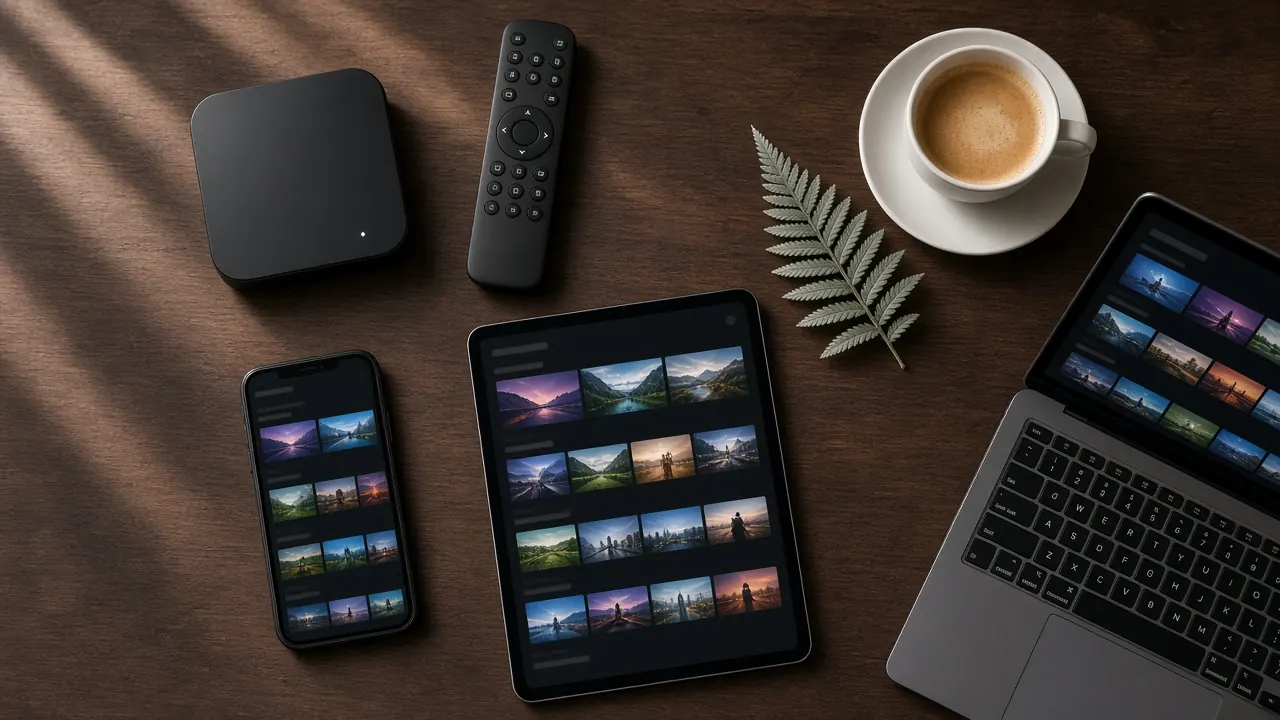
IPTV Box NZ: Choose, Set Up and Stream on Any Box
Looking for an IPTV box in NZ? You don’t need special hardware: almost any modern Android TV box, streaming stick, MAG box or Smart TV can stream 35,000+ channels with an IPTV NZ subscription. Here’s how to choose the right one and get it running in minutes.
Do you need an IPTV box in New Zealand?
Not always. An IPTV box is simply a small device that connects your TV to the internet and runs an IPTV player app. If you have a recent Smart TV with a decent app store, you may not need one at all. But for many Kiwi homes a box is still the best way to watch IPTV NZ, because it’s faster than the built-in software on most TVs, it can use a wired Ethernet connection, and it gives you the same familiar menus on every TV in the house.
A box makes the most sense when:
- your TV isn’t a Smart TV, or its app store doesn’t offer a good IPTV player;
- your TV is more than a few years old and its apps feel slow or crash;
- you want the steadiest 4K picture, which is easiest with a box plugged into your router by cable;
- you’d like a simple remote-and-go setup for someone who isn’t comfortable with apps.
The good news is that IPTV NZ doesn’t lock you into one brand of hardware. Your subscription works on the box you choose, and our team will help you set it up on WhatsApp whichever option you go for.
The four types of IPTV box that work with IPTV NZ
1. Android TV boxes
The most popular choice in New Zealand, and for good reason. An Android TV box plugs into your TV’s HDMI port, connects by Wi-Fi or Ethernet, and gives you access to a full app store, so you can install a quality IPTV player in a couple of minutes. Mid-range boxes handle 4K HDR comfortably and switch channels quickly. If you want one device that does everything, start here.
2. Streaming sticks
A streaming stick is a compact Android-based device that hides behind your TV and plugs straight into an HDMI port. Sticks are affordable and ideal for bedrooms, holiday homes and travel. The trade-offs are less processing power and storage than a full box, and usually no Ethernet port unless you add an adapter. For HD and Full HD viewing they’re excellent value.
3. MAG-style set-top boxes
MAG boxes are dedicated IPTV set-top boxes. There’s no app store to navigate: you enter a portal address once, and the box behaves much like a traditional cable box, with a channel list, TV guide and a straightforward remote. They’re a favourite for older relatives and anyone who just wants TV to work. Setup uses your box’s MAC address, which you send to us so we can link it to your subscription.
4. Smart TVs (no box at all)
Many modern Smart TVs can run an IPTV player directly from their own app store. If yours can, you’ll save the cost of a box and keep one remote. The catch is that TV apps vary a lot in quality and speed, and some TV app stores have a limited choice. If the experience feels sluggish, a box is an easy upgrade.
Quick comparison
| Device | Best for | Login type | Typical setup time |
|---|---|---|---|
| Android TV box | Best all-round picture and speed, 4K over Ethernet | Xtream Codes or M3U | 5–10 minutes |
| Streaming stick | Budget, bedrooms, travel | Xtream Codes or M3U | 5–10 minutes |
| MAG box | Simple remote-and-go TV, older relatives | MAG portal | 5 minutes |
| Smart TV app | No extra hardware | Xtream Codes or M3U | 5–10 minutes |
What to look for when buying an IPTV box in NZ
You don’t need the most expensive box on the shelf, but a few specifications make a real difference to how smooth IPTV feels. Use this as a checklist when you shop:
- Memory (RAM): 2 GB is the minimum for a smooth experience; 4 GB is noticeably better for fast channel changes and large TV guides.
- Storage: 16 GB or more leaves room for your player app, its guide data and future updates.
- Network: an Ethernet port for the most stable connection, plus Wi-Fi 5 or Wi-Fi 6 if the box must be wireless.
- Video support: 4K output with HDR, and hardware decoding for H.265 (HEVC), the format most 4K streams use.
- Up-to-date software: a recent operating system with security updates and a working app store.
- A good remote: number keys and a dedicated guide button make channel surfing far easier.
Buying from a New Zealand retailer has another advantage: you’re covered by the Consumer Guarantees Act, so a faulty box must be repaired, replaced or refunded. You’ll also get the right power plug and local warranty support. If you’d like a deeper look at every device type, including phones, laptops and budgets, read our buyer’s guide to the best devices for IPTV in NZ.
How to set up your IPTV box with IPTV NZ
Whichever box you choose, getting started follows the same four steps:
- Connect the box. Plug it into a spare HDMI port on your TV and into power, then connect it to your home network, ideally with an Ethernet cable.
- Order on WhatsApp. Choose a plan, tell us which box you have, and we’ll confirm your order and payment.
- Add your login. We send an Xtream Codes login or M3U link for Android boxes and sticks, or a portal address for MAG boxes. Enter it in the player app or portal settings.
- Start watching. Channels, the TV guide and the on-demand library load in a minute or two. Pick a channel and you’re away.
Our step-by-step guide to setting up IPTV has detailed instructions for every device, including which menu each setting lives in.
Getting the best picture from your box
A few small tweaks can make a big difference, especially for live sport and 4K:
- Use Ethernet where you can. A cable from your router gives a far more consistent connection than Wi-Fi, which can drop out when the microwave is on or the whole family is online.
- On Wi-Fi, choose 5 GHz. It’s faster and less crowded than 2.4 GHz. Keep the box within a room or two of your router, or add a mesh point.
- Give the box air. Boxes tucked inside closed cabinets can overheat and slow down. Leave space around them.
- Keep apps updated. Player updates often improve stability and fix guide issues.
- Restart now and then. Like any small computer, a box benefits from a fresh restart every week or so.
- Check your TV’s picture mode. Turn on your TV’s sport or game mode for fast action, and switch off heavy motion smoothing if it looks unnatural.
Still seeing pauses? Our guide to IPTV buffering causes and fixes walks through every likely cause.
A word on “fully loaded” boxes
You’ll see boxes advertised as “fully loaded” or “plug and play” with apps already installed. We’d steer clear. These boxes often run outdated, unsupported software, the pre-installed apps can stop working without warning, and there’s usually nobody to call when they do. Some have been found to carry security risks. A standard box from a reputable retailer, paired with a subscription that comes with real support, is cheaper in the long run and far less frustrating.
IPTV NZ plans for your box
1 Month
US$20
US$20.00 per month
Flexible — no commitment
≈ NZ$34 — charged in USD
Choose 1 month- 35,000+ Live TV Channels
- All New Zealand, Australia, UK & International Channels
- 140,000+ Movies & Series (VOD)
- All PPV Events & Premium Sports
- 4K, FHD & HD Streaming Quality
- Anti-Freeze Servers
- 99.9% Uptime
- EPG & Catch-Up
- Works with Xtream Codes, M3U & MAG
- Instant Activation
- 24/7 Support
- Built-In VPN & Privacy Protection
- Indian channels in Hindi, Punjabi, Tamil, Telugu & more
3 Months
US$35
US$11.67 per month
Save US$25 (42%) vs monthly
≈ NZ$60 — charged in USD
Choose 3 months- 35,000+ Live TV Channels
- All New Zealand, Australia, UK & International Channels
- 140,000+ Movies & Series (VOD)
- All PPV Events & Premium Sports
- 4K, FHD & HD Streaming Quality
- Anti-Freeze Servers
- 99.9% Uptime
- EPG & Catch-Up
- Works with Xtream Codes, M3U & MAG
- Instant Activation
- 24/7 Support
- Built-In VPN & Privacy Protection
- Indian channels in Hindi, Punjabi, Tamil, Telugu & more
6 Months
US$50
US$8.33 per month
Save US$70 (58%) vs monthly
≈ NZ$85 — charged in USD
Choose 6 months- 35,000+ Live TV Channels
- All New Zealand, Australia, UK & International Channels
- 140,000+ Movies & Series (VOD)
- All PPV Events & Premium Sports
- 4K, FHD & HD Streaming Quality
- Anti-Freeze Servers
- 99.9% Uptime
- EPG & Catch-Up
- Works with Xtream Codes, M3U & MAG
- Instant Activation
- 24/7 Support
- Built-In VPN & Privacy Protection
- Indian channels in Hindi, Punjabi, Tamil, Telugu & more
12 Months
US$85
US$7.08 per month
Save US$155 (65%) vs monthly
≈ NZ$145 — charged in USD
Choose 12 months- 35,000+ Live TV Channels
- All New Zealand, Australia, UK & International Channels
- 140,000+ Movies & Series (VOD)
- All PPV Events & Premium Sports
- 4K, FHD & HD Streaming Quality
- Anti-Freeze Servers
- 99.9% Uptime
- EPG & Catch-Up
- Works with Xtream Codes, M3U & MAG
- Instant Activation
- 24/7 Support
- Built-In VPN & Privacy Protection
- Indian channels in Hindi, Punjabi, Tamil, Telugu & more
All prices in USD. Every plan includes every channel and feature. NZ$ figures are approximate — your bank converts at its own rate and may add a small foreign-currency fee. No contracts; nothing renews automatically.
IPTV box NZ: common questions
Do I need a special IPTV box?
No. IPTV NZ works on standard, widely available hardware. A box or stick is worth buying if your TV isn’t a Smart TV, its app store is limited, or it feels slow — an inexpensive Android TV box usually transforms the experience.
Which IPTV box is best in New Zealand?
For most homes, a current Android TV box with at least 2 GB of RAM (4 GB is better), Wi-Fi 5 or Wi-Fi 6, an Ethernet port, 4K HDR output and H.265 (HEVC) video support. If you want the simplest possible remote-and-go experience, a MAG-style box is a good alternative.
Can I buy any box I like?
Yes. Our plans are subscriptions that work on the box you choose, so you’re free to buy hardware wherever you get the best deal. Buying from a New Zealand retailer means you have the protection of the Consumer Guarantees Act if the box is faulty. Not sure what to buy? Message us your budget and we’ll tell you which specs to look for.
Will an IPTV box work with my broadband?
Yes — IPTV NZ works with any New Zealand internet provider and any connection type, including fibre, fixed wireless, 4G/5G home broadband and satellite broadband. What matters is a stable speed of around 10 Mbps or more per stream.
Can I use one subscription on several boxes?
Each plan includes one connection — one stream playing at a time. You can install the app on as many of your devices as you like and watch on whichever is free. Want two or more screens playing at once? Ask us on WhatsApp about multi-connection options.
Are “fully loaded” boxes a good idea?
We don’t recommend them. Boxes sold with apps already installed often run outdated software, can be insecure, and usually come with no support when something stops working. A standard box plus a supported subscription is safer and easier to fix.
Ready to turn your box into a full channel line-up? Message us on WhatsApp, tell us your device and we’ll have you watching in minutes. You can also go back to the IPTV NZ homepage to see everything included, or compare IPTV NZ prices in detail.